


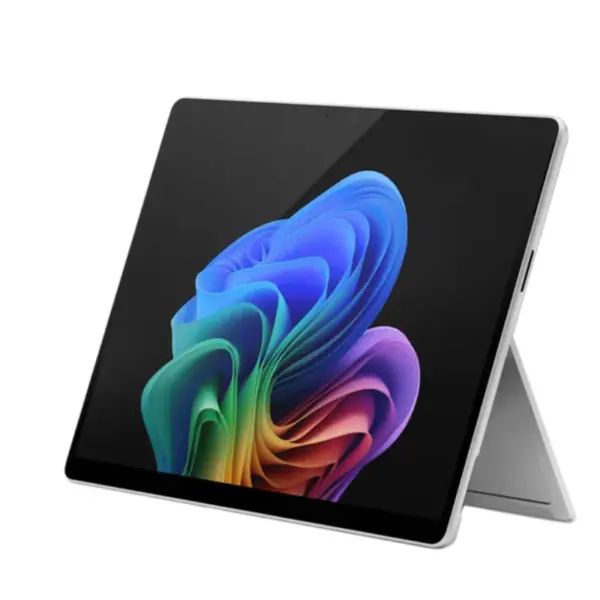
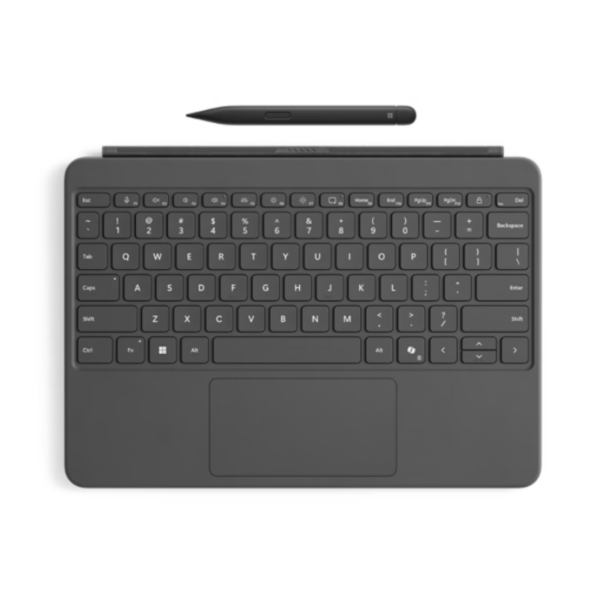
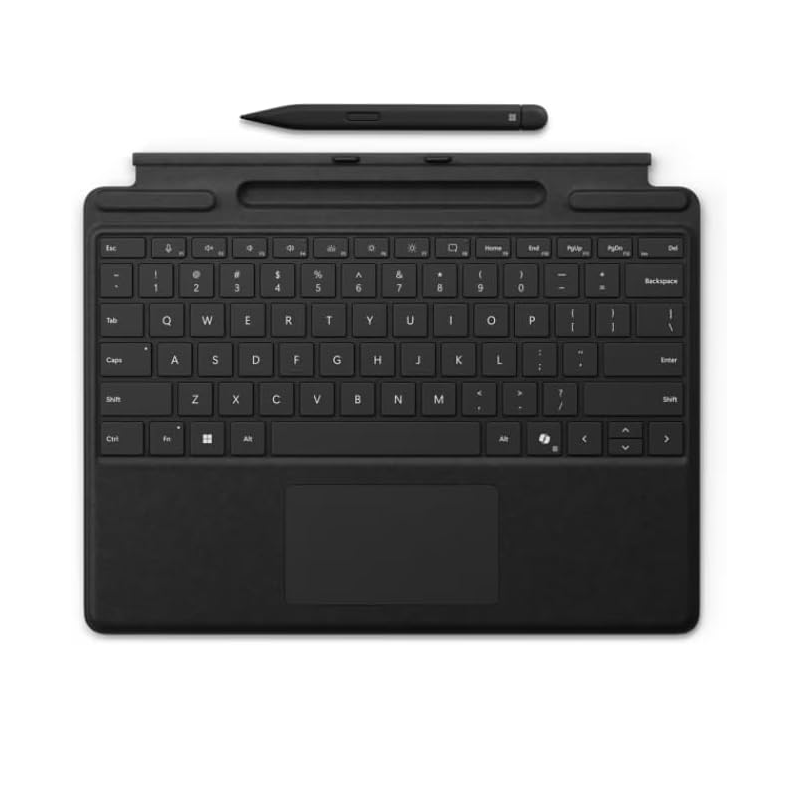
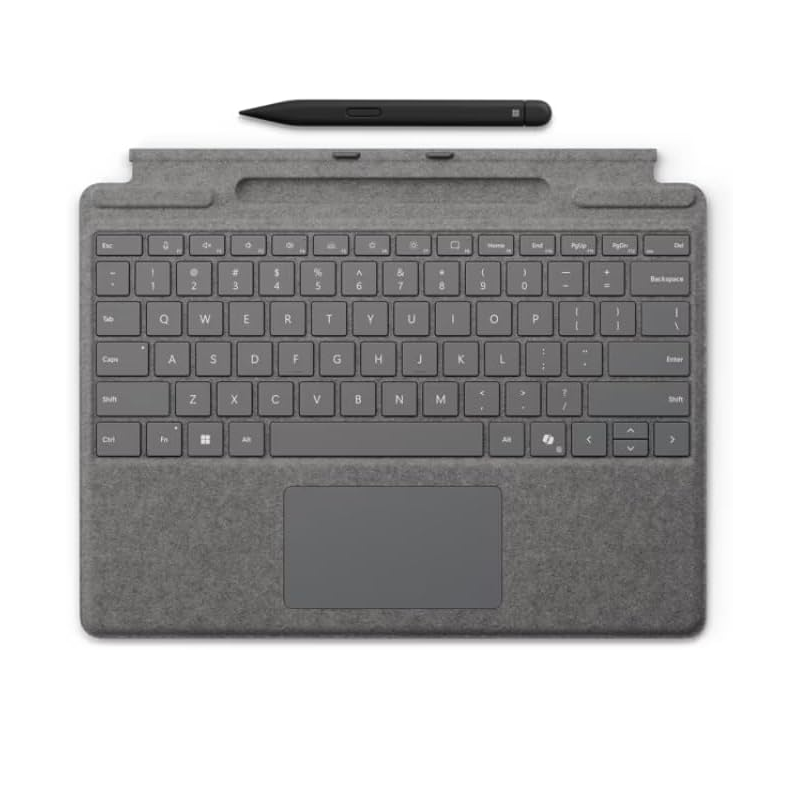
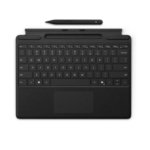
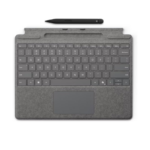


Microsoft Surface Pro 11 Keyboard with Pen: Premium Typing and Writing Experience for Your Surface Pro 11th Edition Copilot+ PC
Microsoft Surface Pro 11 Keyboard with Pen price in Kenya is Ksh 38,500. Transform your Microsoft Surface Pro 11th Edition into a complete laptop-like workstation with the elegant Surface Pro 11 Keyboard with Pen (also known as Surface Pro Keyboard with pen storage or Signature Keyboard with Slim Pen). This premium accessory delivers comfortable mechanical typing, a spacious glass touchpad, and seamless integration with the Surface Slim Pen (2nd Edition) — making it effortless to switch between typing notes, handwriting ideas, drawing, or navigating with precision.
Perfect for Kenyan professionals, students, and creatives who want the versatility of a 2-in-1 without compromising on productivity or comfort. At Imaxim Electronics, we’re excited to offer this authentic Microsoft bundle that turns your Surface Pro tablet into a powerful, portable productivity companion for meetings, studying, creative work, or on-the-go tasks in Nairobi and beyond.
Why This Keyboard with Pen Brings Pure Delight
Many users struggle with on-screen typing on tablets or carrying separate accessories that get lost or run out of power. The Surface Pro 11 Keyboard with Pen solves these pain points beautifully: the Slim Pen stores securely and charges wirelessly right in the keyboard tray, while the backlit mechanical keys and large haptic touchpad provide a premium laptop feel. Enjoy instant access to Copilot with a dedicated key, quiet responsive typing, and natural inking that feels like pen on paper.
Highlights that inspire:
- Built-in Slim Pen storage and wireless charging — Your pen is always ready, charged, and protected — no more hunting for accessories.
- Comfortable mechanical typing — Full row of function keys, dedicated Copilot, microphone mute, and snipping keys for faster workflows.
- Large precision glass touchpad — Smooth, responsive navigation with haptic feedback for accurate control.
- Luxurious Alcantara® material — Soft, durable covering that feels premium and adds a touch of elegance.
- Backlit keys — Work comfortably in low light, from early mornings to late evenings.
- Seamless compatibility — Perfectly designed for Surface Pro 11th Edition (and compatible with earlier models like Pro 9 and 8).
This combination stands out for its thoughtful integration, long battery life when detached (on Flex variants), and positive feedback for elevating the Surface Pro into a true daily driver.
Standout Features & Everyday Advantages
Integrated Surface Slim Pen (2nd Edition) Support The keyboard features a dedicated storage tray that securely holds and wirelessly charges the Slim Pen. Enjoy 4,096 levels of pressure sensitivity, zero-force inking, haptic feedback (on supported devices), and natural writing/drawing that feels incredibly realistic.
Premium Typing Experience Moving (mechanical) keys with optimized spacing deliver quiet, responsive typing. Includes a full row of function keys (F1–F12), dedicated Copilot key for instant AI access, microphone mute, snipping tool, media controls, and screen brightness shortcuts.
Spacious Precision Haptic Touchpad Large glass surface with edge-to-edge usability, customizable haptic feedback, and right-click functionality — makes navigation, gestures, and editing smooth and enjoyable.
Luxurious Design Wrapped in soft Alcantara® material (or similar premium finishes) with magnetic attachment for quick, secure connection to your Surface Pro. Available in elegant colors like Black, Platinum, or Sapphire.
Smart Connectivity & Battery Bluetooth Low Energy for reliable pairing; up to 41 hours of continuous typing when detached (on supported Flex models). Built-in accelerometer and secure 128-bit encryption.
Enhanced Productivity Works attached or detached (on Flex Keyboard), supports Windows Studio Effects when paired with your Copilot+ PC, and delivers a laptop-like experience without added bulk.
Full Technical Specifications – Microsoft Surface Pro 11 Keyboard with Pen
| Feature | Specification |
|---|---|
| Keyboard Type | Surface Pro Keyboard with pen storage / Signature Keyboard with Slim Pen |
| Keys | Moving (mechanical) keys; full row F1–F12; dedicated Copilot, mic mute, snipping, media, brightness keys; optional bold keyset |
| Touchpad | Large precision glass haptic touchpad with right-click and edge-to-edge usability |
| Pen Integration | Built-in storage tray with wireless charging for Surface Slim Pen (2nd Edition); supports Microsoft Pen Protocol (MPP), 4,096 pressure levels, haptic/tactile signals |
| Material | Alcantara® covering (premium soft fabric) |
| Backlighting | Yes (backlit keys) |
| Connectivity | Bluetooth® Low Energy; magnetic attachment |
| Battery (Keyboard) | Rechargeable; up to 41 hours continuous typing when detached (Flex variant) |
| Slim Pen Battery | Rechargeable Lithium-ion; up to 15 hours typical usage |
| Dimensions (Keyboard) | Approx. 289.1 x 226.1 x 4.89 mm (11.38 x 8.90 x 0.19 inches) |
| Weight (Keyboard + Pen) | Approx. 294 g (0.65 lbs) |
| Sensors | Accelerometer |
| Compatibility | Surface Pro 11th Edition, Surface Pro 10, Pro 9, Pro 8 (and select earlier models) |
| Colors | Black, Platinum, Sapphire, and other variants |
Frequently Asked Questions (FAQs) About Surface Pro 11 Keyboard with Pen in Kenya
Does the keyboard include the Surface Slim Pen? Yes — the bundle version comes with the Slim Pen (2nd Edition) that stores and charges directly in the keyboard tray for ultimate convenience.
Is it compatible with my Surface Pro 11th Edition? Absolutely — it is perfectly designed for the Surface Pro 11 and also works with Surface Pro 9 and 8.
Can I use the keyboard detached from the tablet? Yes — especially with the Flex Keyboard variant, which supports detached use for flexible positioning while maintaining connectivity.
How natural does the pen feel for writing and drawing? Wonderfully realistic — with pressure sensitivity, low latency, and haptic feedback, it feels just like writing on paper, enhanced by AI tools in Windows.
Is the keyboard backlit and comfortable for long sessions? Yes — backlit keys and mechanical action provide a premium, quiet typing experience ideal for extended work or study sessions.
For the latest details, manuals, compatibility information, and full specifications, visit the official Microsoft website (microsoft.com/surface or support.microsoft.com – search for Surface Pro keyboards and Type Covers).
Complete Your Surface Pro Experience with the Keyboard with Pen at Imaxim Electronics
The Microsoft Surface Pro 11 Keyboard with Pen brings elegance, comfort, and versatility to your Copilot+ PC. Enjoy effortless typing, natural inking, smart shortcuts, and the freedom to work your way — whether in laptop mode with the keyboard or in creative flow with the pen.
Visit Imaxim Electronics in Nairobi for this essential accessory and friendly expert advice on pairing it with your Surface Pro 11th Edition. We’re thrilled to help you unlock the full potential of your device!
See also Microsoft Surface Pro 11th Edition Copilot+ PC
See the official Website.
